Author: Digious Solutions

  • Google March 2026 Spam Update Done Rolling Out

    Google March 2026 Spam Update Done Rolling Out

    Google has officially completed the March 2026 Spam Update, marking another important step in its ongoing effort to improve the quality of search results. Following earlier algorithm changes in 2026, this update highlights Google’s continued focus on identifying and reducing spam content across the web.

    The rollout began on March 24, 2026, and finished in less than 24 hours, making it one of the fastest spam updates Google has released in recent years. Despite the quick rollout, the update was applied globally across all languages and regions, meaning websites around the world could potentially experience ranking changes.

    In this article, we will explore what the March 2026 Spam Update is, how it works, what types of content it targets, and what website owners should do to stay aligned with Google’s spam policies.

    Understanding the March 2026 Spam Update

    What Is a Google Spam Update

    A Google spam update is an algorithm improvement designed to detect and reduce spam within search results. These updates focus on websites that attempt to manipulate rankings using deceptive or low-quality tactics.

    Unlike core algorithm updates, which broadly evaluate content quality and relevance, spam updates specifically target practices that violate Google’s spam policies.

    The purpose is to ensure that search results provide reliable, helpful, and trustworthy information for users.

    Timeline of the March 2026 Spam Update

    When the Update Started

    According to Google’s Search Status Dashboard, the rollout began on March 24, 2026.

    How Long the Rollout Took

    The update finished within approximately 19 to 20 hours, making it one of the quickest spam update deployments recorded by Google.

    Key Rollout Highlights

    • Start date: March 24, 2026
    • Completion date: March 25, 2026
    • Total rollout time: About 20 hours
    • Coverage: Global across all languages

    This rapid rollout suggests that Google relied heavily on automated spam detection systems rather than extended experimental testing.

    Main Objectives of the Update

    Strengthening Enforcement of Spam Policies

    The March 2026 spam update primarily strengthens enforcement of Google’s existing spam guidelines.

    Rather than introducing new rules, the update improves Google’s ability to detect websites that rely on manipulative tactics to boost rankings.

    Common Spam Signals Targeted

    • Scaled or automated thin content
    • Programmatically generated pages
    • Keyword stuffing and hidden text
    • Cloaking or deceptive redirects
    • Manipulative link building practices

    By improving detection systems, Google aims to remove or demote low-value pages that do not serve genuine user intent.

    Difference Between Spam Updates and Core Updates

    Core Algorithm Updates

    Core updates reassess how Google evaluates content quality, relevance, and ranking signals across the entire search ecosystem.

    Spam Algorithm Updates

    Spam updates focus specifically on identifying and penalizing websites violating Google’s spam policies.

    Websites that follow best practices usually see minimal impact, while those using manipulative tactics may experience ranking losses.

    What the March 2026 Spam Update Targets

    Low Quality and Automated Content

    Although Google did not specifically mention AI-generated content, early observations suggest that large volumes of automated or low-value content were particularly vulnerable.

    Google continues to emphasize that automated content must provide clear value for users.

    Cloaking and Deceptive Techniques

    What Is Cloaking

    Cloaking occurs when a website presents different content to search engines than to users.

    Why It Violates Google Policies

    This practice misleads search engines and is considered a serious violation of Google’s spam guidelines.

    Link Manipulation and Thin Affiliate Pages

    Although the update was not officially labeled as a link spam update, Google’s systems still detect unnatural link patterns.

    Examples of Link Spam

    • Paid backlinks
    • Private blog networks (PBNs)
    • Automated link-building tools
    • Unnatural anchor text usage

    Thin affiliate pages with little original value may also trigger spam signals.

    Early Observations From SEO Experts

    Mixed Impact Across Websites

    Early reactions from the SEO community indicate varying levels of impact.

    Some websites experienced:

    • Ranking drops
    • Traffic fluctuations

    Others reported improvements after spam-heavy competitors were demoted.

    Many websites saw minimal change, suggesting the update targeted specific spam signals rather than affecting the entire search ecosystem.

    How to Check If Your Website Was Affected

    Using Google Search Console

    Website owners should review their Search Console performance data to identify any unusual ranking changes.

    Steps to Analyze Impact

    1. Compare traffic data before and after March 24–25
    2. Identify pages with sudden ranking drops
    3. Review affected keywords
    4. Check for spam signals in content or links

    This analysis can help determine whether ranking fluctuations are related to the spam update.

    Long Term SEO Strategy After the Update

    Focus on High Quality Content

    Google continues to prioritize helpful, original, and user-focused content in search results.

    Strengthen E-E-A-T Signals

    Websites should improve signals related to:

    • Experience
    • Expertise
    • Authoritativeness
    • Trustworthiness

    Conduct Regular SEO Audits

    Regular content and technical audits help identify spam signals and maintain compliance with Google’s policies.

    FAQs

    What is the Google March 2026 Spam Update?

    The Google March 2026 Spam Update is an algorithm enhancement aimed at detecting and demoting spammy content in search results. It targets low-quality automated content, keyword stuffing, deceptive redirects, and manipulative link practices.

    When did the March 2026 spam update roll out?

    The update began on March 24, 2026, and was completed within 24 hours on March 25. It was applied globally across all languages and regions.

    Which types of websites were most affected?

    Websites using scaled automated content, thin affiliate pages, cloaking, keyword stuffing, or manipulative backlinks were the most affected. Sites following best practices were largely unaffected.

    How does the update affect AI-generated content?

    AI-generated content is allowed if it is original and helpful. However, large-scale automated content that exists mainly to manipulate rankings may be flagged by Google’s SpamBrain system.

    Final Thoughts

    The Google March 2026 Spam Update reinforces Google’s commitment to improving search quality by reducing manipulative SEO practices.

    Even though the update rolled out in less than a day, it highlights how quickly Google can deploy algorithm improvements using advanced AI-powered detection systems.

    For website owners and SEO professionals, the key takeaway is clear:
    focus on helpful content, transparent SEO practices, and long-term value for users rather than relying on manipulative ranking tactics.

    Websites that prioritize quality and authenticity will remain more resilient as Google continues refining its search algorithms.


  • UI/UX Design vs Graphic Design: Basics and Differences

    UI/UX Design vs Graphic Design: Basics and Differences

    In today’s digital landscape, UI/UX design and graphic design play critical roles in shaping user interactions, brand perception, and overall business success. While both disciplines focus on visual elements, their objectives, processes, and outcomes are distinct. 

    Understanding these differences helps businesses, designers, and marketers make informed decisions that improve user engagement and brand impact.

    What is UI/UX Design?

    UI (User Interface) design deals with the visual layout and interactive elements of digital products. This includes buttons, icons, forms, menus, and navigation structures that guide users through websites, mobile apps, or software. UI design ensures interfaces are intuitive, visually consistent, and accessible across devices.

    UX (User Experience) design emphasizes user behavior, satisfaction, and ease of interaction. It involves user research, wireframing, prototyping, and usability testing to create experiences that meet both user needs and business goals.

    Tools like Figma, Adobe XD, Sketch, and InVision help UI/UX designers build interactive prototypes, test workflows, and refine experiences based on real user feedback.

    Why UI/UX Design Matters

    Investing in UI/UX design enhances conversion rates, retention, and customer satisfaction. Companies like Apple, Google, and Shopify prioritize UI/UX to ensure seamless experiences. 

    Effective UX reduces friction, supports accessibility standards, and makes digital products efficient and enjoyable.

    What is Graphic Design?

    Graphic design is the craft of visual communication, combining typography, color theory, imagery, and layout to convey messages and strengthen brand identity. Unlike UI/UX design, which prioritizes interaction, graphic design emphasizes aesthetics, storytelling, and marketing effectiveness.

    Graphic designers work on logos, brochures, social media content, packaging, and advertisements. They rely on tools such as Adobe Illustrator, Photoshop, CorelDRAW, and Affinity Designer to create visually compelling assets.

    Why Graphic Design Matters

    Strong graphic design influences brand perception, credibility, and recognition. Global brands like Nike, Coca-Cola, and Starbucks use design to communicate values, engage audiences, and maintain consistency through visual hierarchy, typography, and color psychology.

    Key Differences Between UI/UX Design and Graphic Design

    While both fields share creative foundations, they differ in purpose, methodology, and deliverables.

    Objective

    • UI/UX Design: Focuses on user satisfaction, accessibility, and usability.
    • Graphic Design: Focuses on visual communication, aesthetics, and brand messaging.

    Process

    • UI/UX Design: User research → wireframes → prototypes → usability testing → iteration.
    • Graphic Design: Concept development → visual design → refinement → final delivery.

    Output

    • UI/UX Design: Interactive websites, mobile apps, and software dashboards.
    • Graphic Design: Logos, social media graphics, banners, brochures, and print materials.

    Skills Required

    • UI/UX Designers: Human-computer interaction (HCI), information architecture, accessibility, user research, interaction design.
    • Graphic Designers: Typography, color theory, layout, visual storytelling, branding.

    Tools & Software

    • UI/UX: Figma, Adobe XD, Sketch, InVision.
    • Graphic Design: Photoshop, Illustrator, CorelDRAW, Affinity Designer.

    How UI/UX and Graphic Design Work Together

    Though distinct, UI/UX design and graphic design complement each other. UX designers focus on navigation, user flow, and interaction patterns, while graphic designers ensure visual branding, typography, and imagery align with company identity.

    In e-commerce platforms like Shopify or Amazon, UX guides users through checkout flows, product filters, and interface navigation, while graphic design enhances product images, promotional banners, and social media graphics, creating a cohesive experience that is both functional and visually appealing.

    A collaborative approach ensures digital products are user-friendly, brand-consistent, and visually engaging, improving overall customer experience.

    Emerging Trends in UI/UX and Graphic Design

    UI/UX Design Trends

    • AI-powered chatbots and voice interfaces for natural interactions
    • Motion design and micro-interactions for better engagement
    • Inclusive and accessibility-focused design

    Graphic Design Trends

    • 3D graphics, realistic textures, and immersive visual experiences
    • Minimalist design with bold typography
    • Animated social media content and motion graphics for marketing campaigns

    Keeping updated with design systems, human-centered design principles, and new software tools ensures designers and businesses stay competitive.

    Choosing Between UI/UX and Graphic Design

    • Prioritize UI/UX design when focusing on digital usability, user flow, and conversion optimization.
    • Prioritize graphic design when creating branding, marketing campaigns, or visually compelling content.
    • Most projects benefit from a hybrid approach, combining UX research, UI prototyping, and graphic design for both usability and aesthetics.

    FAQs

    What is the main difference between UI/UX design and graphic design?

    UI/UX design focuses on user interaction and experience, while graphic design emphasizes visual storytelling and brand identity.

    Which tools are essential for UI/UX designers?

    UI/UX designers use Figma, Adobe XD, Sketch, and InVision for creating prototypes and testing usability.

    Can graphic designers transition into UI/UX design?

    Yes, learning UX research, wireframing, and interaction design allows graphic designers to expand into UI/UX roles.

    Do UI/UX designers work with branding?

    UI/UX designers focus on usability, collaborating with graphic designers to maintain brand consistency.

    Why is UI/UX design important for businesses?

    Effective UI/UX improves user satisfaction, engagement, and conversion rates, directly impacting business success.

    Conclusion

    UI/UX design and graphic design are essential for creating engaging, user-friendly, and visually compelling digital experiences. While UI/UX focuses on usability and seamless interaction, graphic design strengthens brand identity and visual storytelling. Combining both ensures your digital products stand out, drive conversions, and leave a lasting impression.

    Digious Solutions provides UI/UX and graphic design services across the USA, Australia, and international markets, helping businesses enhance usability, visual appeal, and brand presence. 

    Clients from the USA, Australia, and other global locations trust us to deliver high-quality digital experiences and visually compelling designs at competitive prices.

    Contact Digious Solutions today to bring your ideas to life and enjoy professional UI/UX and graphic design services tailored to your business needs.

  • Google Releases February 2026 Discover Core Update

    Google Releases February 2026 Discover Core Update

    Google has released the February 2026 Discover Core Update, a significant algorithm update focused exclusively on Google Discover. This update changes how articles and videos are surfaced in personalized feeds and emphasizes local relevance, expertise, and quality content.

    Google announced, “This is a broad update to our systems that surface articles in Discover.” Testing shows that users find the Discover experience more useful and worthwhile with this update. The rollout may take up to two weeks and will continue expanding to cover all regions and languages.

    What is Google Discover?

    Google Discover is a content feed in the Google app and mobile homepage that shows articles, videos, and news based on user interests. It predicts what a user may want to see, using browsing history, search activity, and followed topics.

    Discover is different from Search because it does not rely on queries. Instead, it surfaces personalized recommendations. Publishers can gain organic traffic even without ranking in Google Search results.

    What is the February 2026 Discover Core Update?

    The February 2026 Core Update focuses only on Google Discover. Google states:

    Key points of this update:

    • Local content prioritization: Users see more content from websites based in their region.
    • Reduction of clickbait: Sensational and misleading headlines are filtered out.
    • Expertise-based ranking: In-depth, original, and timely content from authoritative sources is prioritized.
    • Topic-by-topic expertise: Google evaluates knowledge in specific areas rather than overall site authority.

    How Does the Update Work?

    1. Local Relevance Signals

    Google evaluates a user’s location and language to prioritize regionally relevant content. Content that resonates with local context is more likely to be surfaced.

    2. Topic-Based Expertise

    Google identifies expertise in specific topics. A local news site with a gardening section can be recognized for gardening expertise, even if it covers other topics. A site that publishes a single gardening article, such as a movie review site, is unlikely to rank.

    3. Content Quality Assessment

    The algorithm rewards:

    • Original research and reporting
    • Timely updates
    • Unique insights that add value
      Thin or shallow content is deprioritized.

    4. Clickbait Reduction

    Sensational titles that exaggerate or mislead users are filtered out, improving trust and user experience in Discover.

    Why This Update Matters for Publishers

    • Discover is separate from Search: Changes in Discover traffic do not always reflect Search rankings.
    • Local content gains importance: Publishers producing region-specific content may see higher visibility.
    • Niche expertise is rewarded: Smaller, focused websites can outperform larger sites in their domain.
    • Improved user engagement: Reducing clickbait increases trust and encourages more interaction.

    How Publishers Can Optimize for the Update

    1. Create content clusters: Build hubs around specific topics rather than one-off articles.
    2. Emphasize local relevance: Use local examples, statistics, and context to match user location.
    3. Audit for quality and originality: Remove or improve thin content and clickbait headlines.
    4. Use structured data: Highlight authors, publication date, and topic schema to reinforce entities.
    5. Focus on timely content: Publish news and updates that are relevant to your audience now.

    Traffic Expectations

    With this update, publishers should anticipate fluctuations in Discover traffic:

    • Some sites may see an increase.
    • Others may see a decrease.
    • Many may experience no change at all.

    Content that is locally relevant and demonstrates expertise will gain long-term visibility as the update expands globally.

    FAQ

    What is a Google Discover Core Update?

    It is an algorithm change that specifically affects how content appears in Google Discover feeds.

    Does this update affect Google Search?

    No. It impacts Discover traffic only, not Search rankings.

    Why is local content important in this update?

    Google prioritizes articles from websites relevant to a user’s region to improve relevance and engagement.

    How does Google evaluate expertise in Discover?

    Google analyzes content topic-by-topic, rewarding in-depth and authoritative coverage in specific subjects.

    Will clickbait content still appear in Discover?

    No. The update filters misleading or sensational headlines to improve trust.

    Conclusion

    The February 2026 Discover Core Update marks a significant shift in how Google surfaces content in Discover. By prioritizing local relevance, topic-specific expertise, and high-quality original content, publishers have a clear roadmap to improve visibility and engagement.

    Success in Discover now depends on producing authoritative, in-depth, and timely content that resonates with users’ interests and regional context. Publishers who focus on expertise, value, and trustworthiness will benefit from sustained Discover traffic, while low-quality or clickbait content may see reduced exposure.

    This update reinforces the importance of strategic content planning, structured data, and a user-first approach to maintain relevance in Google’s evolving discovery ecosystem.

  • Google Releases December 2025 Core Update

    Google Releases December 2025 Core Update

    Google has officially rolled out the December 2025 Core Update, marking the third major core update of 2025. The update began on December 11, 2025, and according to Google, the rollout may take up to three weeks to fully complete.

    As with every core update, website owners, SEO professionals, bloggers, and digital marketers have started noticing ranking volatility, traffic changes, and visibility shifts across industries. Some sites have seen improvements, while others experienced sudden drops.

    This guide explains what the December 2025 core update is, what changed, who was affected, and how you should respond to protect and improve your rankings.

    What Is the Google December 2025 Core Update?

    A Google core update is a broad change to Google’s ranking systems. Unlike spam updates or manual penalties, core updates do not target specific websites or tactics. Instead, they adjust how Google evaluates content quality, relevance, and usefulness across the web.

    The December 2025 core update is designed to:

    • Surface more relevant and satisfying content
    • Improve search intent matching
    • Reward helpful, people-first content
    • Reduce visibility of thin, low-value, or over-optimized pages

    Google confirmed the update through its Search Status Dashboard, listing it as an “incident affecting ranking.”

    2025 Core Update Timeline

    Here’s how this update fits into Google’s 2025 update history:

    • March 2025 Core Update: Rolled out from March 13–27 (14 days). Volatility levels were similar to late-2024 updates.
    • June 2025 Core Update: Rolled out from June 30–July 17 (16 days). Considered one of the larger updates in recent years, with partial recoveries for some sites hit by earlier helpful content changes.
    • August 2025 Spam Update: Targeted manipulative and low-quality content.
    • December 2025 Core Update: Started December 11, rollout expected to take up to three weeks.

    This confirms Google’s pattern of multiple major ranking adjustments per year, alongside smaller unannounced changes.

    What’s New in the December 2025 Core Update?

    While Google did not publish new rules or penalties, several clear themes have emerged from early data, SEO community feedback, and Google’s updated documentation.

    1. Stronger Focus on Helpful Content

    Helpful content remains at the core of Google’s ranking systems. Pages that clearly answer questions, provide real value, and are written for users rather than search engines are performing better.

    Content created mainly to rank, without depth or originality, has struggled.

    2. Improved Content Depth and Topic Coverage

    Google is now better at evaluating how well a topic is covered, not just whether keywords are present.

    Pages with:

    • Shallow explanations
    • Repetitive ideas
    • Multiple near-duplicate articles

    have lost visibility. Meanwhile, well-structured, in-depth guides with clear headings and logical flow are being rewarded.

    3. Better Search Intent Matching

    One of the biggest improvements in this update is search intent alignment.

    Google is more accurately matching:

    • Informational queries with guides and explanations
    • Commercial queries with service or product pages
    • Navigational queries with brand-focused content

    Keyword usage alone is no longer enough. Pages must match what the user actually wants.

    4. Increased Importance of Trust Signals

    Trust and transparency played a larger role in this update.

    Sites showing strong trust signals performed better, including:

    • Clear author names and bios
    • Updated and fact-checked content
    • About, contact, and business information pages
    • Honest and accurate information

    This aligns with Google’s broader push toward experience, expertise, authority, and trust.

    Early Impact: Winners and Losers

    Websites that benefit from seeing positive movement often share these traits:

    • High-quality, original content
    • Strong topical authority
    • Clear structure and readability
    • Regular content updates
    • User-focused writing style

    Educational blogs, service websites with clear intent, and content-driven brands often benefited.

    Websites That Lost Rankings

    Sites that dropped after the update commonly had:

    • Thin or outdated content
    • Over-optimized pages written for search engines
    • Multiple pages covering the same topic with little difference
    • Poor user experience or confusing layouts

    It’s important to note: a ranking drop is not a penalty. It simply means Google found other content more helpful for those queries.

    Google Confirms Smaller, Unannounced Core Updates

    Just days before this rollout, Google updated its core updates documentation to clarify something important.

    Google now officially confirms that it regularly releases smaller core updates that are not announced because they are not widely noticeable.

    This means:

    • Rankings can improve or decline between major updates
    • Content improvements can be rewarded at any time
    • Websites don’t need to wait for the next big update to see recovery

    However, major core updates like December 2025 still cause the most noticeable shifts.

    What to Do If Your Site Was Hit by the December 2025 Core Update

    Google has not shared new advice specific to this update, but its longstanding guidance still applies.

    1. Review Your Existing Content

    Audit your pages and ask:

    • Does this content fully answer the user’s question?
    • Is it more helpful than what already ranks?
    • Is the information accurate and up to date?

    Improve clarity, depth, and usefulness where needed.

    2. Focus on Quality Over Quantity

    Publishing fewer, high-quality pages is more effective than pushing out large volumes of low-value content.

    Each page should have:

    • A clear purpose
    • One main topic
    • Real value for users

    3. Improve Readability and Structure

    Make content easy to scan:

    • Short paragraphs
    • Clear headings
    • Simple language
    • Logical flow

    This helps users and also improves how search engines understand your content.

    4. Strengthen Trust and Transparency

    Build long-term trust by:

    • Adding author information
    • Keeping content updated
    • Showing who you are and how users can contact you
    • Avoiding exaggerated or misleading claims

    Trust is becoming harder to fake and easier for Google to detect.

    How to Track Changes During the Rollout

    During the rollout period:

    • Expect daily ranking fluctuations
    • Avoid making panic changes
    • Monitor Google Search Console and analytics trends

    Major conclusions should only be drawn after the rollout completes, which may take up to three weeks.

    What This Update Means for SEO in 2026

    The December 2025 core update reinforces a clear message.

    SEO in 2026 will be driven by:

    • Helpful, people-first content
    • Strong intent matching
    • Trust and transparency
    • Long-term content quality

    Websites built for real users will be more stable across future updates.

    Final Thoughts

    The Google December 2025 Core Update is not about tricks or shortcuts. It’s about improving search quality by rewarding content that genuinely helps people.

    If your site gains rankings, stay consistent. If your site loses visibility, treat this as an opportunity to improve. By focusing on clarity, usefulness, trust, and intent, you can build a website that performs better not just after this update, but through future core updates as well.

    Looking to boost your website’s visibility? Digious Solutions offers top-notch IT services, including expert SEO optimization. Reach out to us today and take your site to the next level!

    Explore More Experts Guide

    Explore expert insights, tips, and strategies in IT, web development, and digital marketing to grow, engage, and succeed online.

  • Black Friday Website Design Offer for Just $199

    Black Friday Website Design Offer for Just $199

    If you want a high-quality, modern, and SEO-friendly website without spending thousands, Black Friday 2025 is the best time to upgrade your online presence.

    At Digious Solutions, we are offering a professional website design for only $199 under our Black Friday website design deal 2025, the biggest discount of the year for small businesses and startups.

    This limited-time Black Friday web design offer gives you everything you need to launch or redesign your website at the lowest price.

    Why You Should Redesign Your Website in 2025

    Your website is your digital storefront. If it’s outdated, slow, not mobile-optimized, or not generating leads, you are losing customers every day. Black Friday 2025 deal is the perfect opportunity to fix that without overspending.

    A professional redesign helps you:

    • Build trust with a modern and clean design
    • Increase conversions through faster loading speed
    • Improve search visibility with strong SEO
    • Offer a smooth user experience that keeps visitors engaged
    • Increase sales with a strategic layout and call-to-action placement

    Our WordPress and AI-powered website design packages give you the best Black Friday 2025 pricing so you can upgrade confidently and affordably.

    You can also pair your package with our Black Friday 2025 web development discount for complete IT and website setup support.

    Limited Time Black Friday Website Design Offer

    This year, our Black Friday sale brings up to 80% OFF on professional website design. Whether you need a brand-new site or a full redesign, this offer gives your business the chance to grow online at the lowest price of the year.

    If your website is outdated or not generating sales, this is the moment to fix it. Our small business Black Friday web design deal 2025 gives you access to high quality, SEO optimized website development at a cost that fits your budget.

    This offer includes fast delivery, unlimited revisions, and complete satisfaction. All of this is available at only $199.

    Claim your $199 website design deal today. Limited spots are available.

    black-friday-website-design-offer

    What You Can Expect from Digious Solutions

    We provide a complete range of website and IT services for all industries, including

    • Professional business websites
    • E-commerce stores and product catalogs
    • Personal branding and portfolio websites
    • Fully responsive website redesign
    • WordPress customization and CMS development
    • High-speed, SEO-optimized layouts

    Each project is designed to increase leads, improve user experience, and boost conversions, making this the best Black Friday website design deal for small businesses.

    Client Testimonials

    • “Our sales increased immediately after using the Black Friday web design deal last year. Everything was stress-free and smooth.”
      Sarah L., Business Owner
    • “We redesigned our site during the Black Friday offer and saw instant growth. Our leads doubled in weeks.”
      Mark T., Startup Founder

    Act Fast Before the Offer Ends

    Start 2026 strong with:

    • A modern, professional website
    • Reliable hosting options
    • Complete IT and digital support
    • AI-powered website tools (optional)
    • Full branding and layout customization

    If you’ve been waiting for the right moment, this website builder Black Friday offer 2025 is your best chance to launch your brand online without overspending.

    Final Call to Upgrade Your Website

    If you want the best Black Friday web design deal 2025, now is the time to take action. Prices return to normal once the offer ends.

    Contact Digious Solutions today to secure your $199 Black Friday website design package and start 2026 with a powerful, high-converting website.

    Explore More Experts Guide

    Explore expert insights, tips, and strategies in IT, web development, and digital marketing to grow, engage, and succeed online.

  • How AI is Revolutionizing Web Development

    How AI is Revolutionizing Web Development

    Artificial intelligence is reshaping nearly every digital industry, and AI in web development is at the forefront of this transformation. Businesses, developers, and agencies are adopting AI to build smarter, faster, and more personalized digital experiences.

    The shift from manual coding to AI-enhanced workflows is accelerating every year. Today, AI-powered website builders, AI-driven coding tools, and AI for UI/UX design are changing how websites are designed, coded, optimized, and maintained.

    This guide explains how AI is transforming web development in 2026 and why businesses should embrace this evolution.

    AI-Driven Coding Tools Transform Developer Workflows

    One of the biggest breakthroughs is AI-assisted front-end development. Tools like GitHub Copilot and ChatGPT-based assistants can auto-generate functions, improve code quality, and provide AI-powered error detection and debugging.

    This reduces repetitive tasks and helps developers work faster and more accurately. By integrating AI tools, developers can write cleaner code, reduce bugs, and streamline workflows, saving both time and resources.

    AI-Powered Website Builders Simplify Site Creation

    AI-powered website builders like Wix ADI, 10Web, and Framer AI can generate full-page layouts automatically using generative AI for website layouts. Users describe their brand and goals, and AI creates a visually appealing website in minutes.

    These tools save time for designers and small business owners, while developers can use AI-generated layouts as a starting point, adding advanced features and backend functionality.

    AI for UI/UX Design Creates Better User Experiences

    AI for UI/UX design allows developers to analyze user behavior and optimize interfaces. With predictive analytics for website behavior, AI can guide smarter design choices.

    Benefits include:

    • AI-generated UI components aligned with brand identity
    • Dynamic adjustments for adaptive user experience with AI
    • Personalized content recommendations

    These improvements enhance engagement, increase satisfaction, and help businesses convert visitors into customers more effectively.

    AI-Enhanced SEO and Content Optimization

    AI also improves website visibility. AI-enhanced SEO tools like Surfer and Clearscope help optimize content by analyzing search intent, suggesting keywords, and improving on-page structure.

    By automating SEO workflows, businesses can publish optimized content faster and maintain a competitive online presence.

    AI Chatbots Improve Engagement and Conversions

    Modern AI chatbots go beyond basic support. They can answer complex questions, provide personalized product recommendations, and guide users through tasks like lead qualification or appointment booking.

    This improves user experience while allowing teams to focus on higher-value work.

    Automated Testing and Performance Optimization

    AI tools for front-end testing identify bugs, monitor UI inconsistencies, and predict potential issues before deployment.

    Additionally, AI helps optimize website performance automatically, managing image compression, script loading, caching, and page speed elements. This ensures reliable, fast, and responsive websites without constant manual intervention.

    Future Trends of AI in Web Development

    The future will bring AI-based content management systems (AI CMS), more advanced generative AI for design, automated API integration, and personalized user experiences.

    AI will empower developers to work creatively while automating routine tasks, changing the future of website development workflows.

    AI Overview

    AI in web development automates coding, design, and optimization, enabling smarter, faster, and personalized websites with improved user experience and performance.

    FAQs

    What is AI in web development?

    AI in web development uses artificial intelligence to automate and enhance website design, coding, and user experiences, helping developers build smarter, faster, and more personalized websites.

    How do AI-driven coding tools help developers?

    AI-driven coding tools assist with front-end and back-end development by generating code, detecting errors, and providing suggestions, reducing bugs and speeding up workflows.

    What are AI-powered website builders?

    AI-powered website builders, like Wix ADI and Framer AI, use generative AI for website layouts, allowing users to create professional websites quickly without extensive coding knowledge.

    How does AI improve UI and UX design?

    AI for UI/UX design analyzes user behavior, predicts interactions, and suggests improvements, enabling adaptive user experiences with AI and increasing engagement.

    How can AI help with SEO and content optimization?

    AI-enhanced SEO tools analyze search intent, recommend keywords, and optimize content structures, improving visibility and performance on search engines.

    Final Thoughts

    AI is not just improving web development, it’s transforming how websites are built and experienced. Companies that adopt AI-driven coding tools and other technologies can work more efficiently, deliver better user experiences, and stay ahead in a competitive market.

    The impact of AI on web development is only beginning. Upgrade your website with our AI web development services. Create smarter, faster websites that engage visitors. Reach out to us now.

    Explore More Experts Guide

    Explore expert insights, tips, and strategies in IT, web development, and digital marketing to grow, engage, and succeed online.

  • ChatGPT Atlas vs Google Chrome: Which Browser Is Better?

    ChatGPT Atlas vs Google Chrome: Which Browser Is Better?

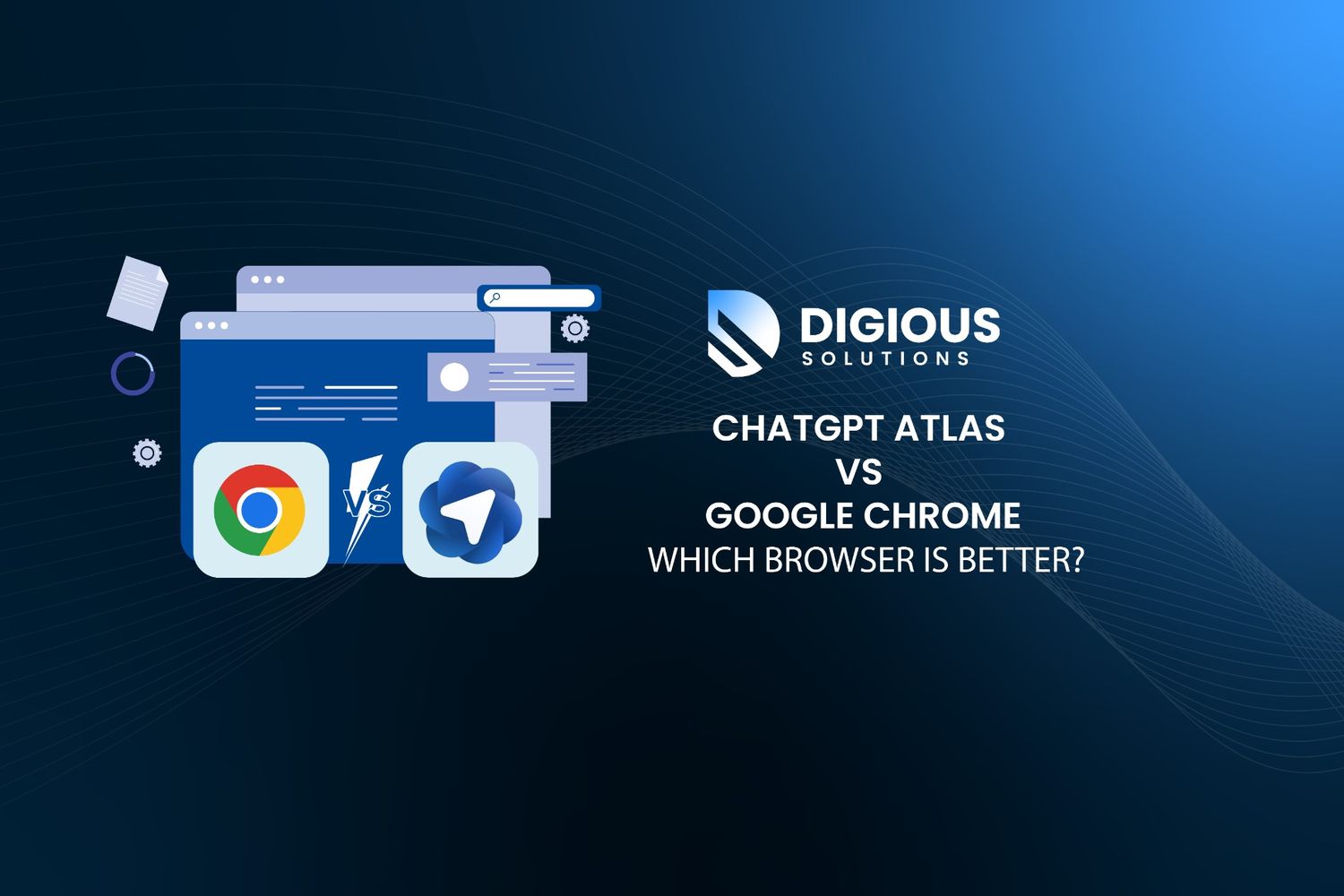
    The web browser world is changing fast, and artificial intelligence is leading the revolution. OpenAI’s ChatGPT Atlas enters the scene as an AI-powered browser built to make your online experience smarter, faster, and highly personalized.

    At the same time, Google Chrome remains the go-to choice for millions, known for its speed, reliability, and extensive global reach.

    The big question for today’s users is simple. Should you choose GPT Atlas or Chrome to get the most intelligent and productive browsing experience?

    Understanding ChatGPT Atlas: OpenAI’s AI-Driven Browser

    GPT Atlas is more than just a browser upgrade. It is an AI-first platform built around ChatGPT that turns traditional browsing into a powerful productivity tool.

    With Atlas, users can summarize articles, draft emails, research topics, plan projects, and automate tasks without switching between multiple apps. The interface is clean and minimalistic, designed to keep users focused and efficient.

    Features like Agent Mode, context-aware chat, and memory for past sessions make it faster to complete tasks. GPT Atlas is ideal for students, creators, and professionals who want a seamless AI assistant integrated directly into their browsing workflow.

    How GPT Atlas Competes With Google Chrome

    When OpenAI launched Atlas, the goal was to challenge Chrome’s long-standing dominance. While Chrome is known for its speed, stability, and extensive extension ecosystem, it does not natively integrate AI across the browsing experience.

    Many users switch between multiple apps for research, writing, or collaboration. GPT Atlas brings all of these activities together in a single AI-powered environment, streamlining workflow and boosting productivity.

    Although Chrome is gradually adding AI features through Gemini, it still depends on add-ons for advanced functionality. GPT Atlas, on the other hand, has AI built into its core, creating a more adaptive and intelligent browsing experience.

    The AI Advantage of ChatGPT Integration

    GPT Atlas focuses on understanding and engagement rather than just performance and managing tabs. The embedded ChatGPT allows users to get explanations for complex data, rewrite content, generate ideas, and discover related resources instantly.

    For users familiar with ChatGPT, having it integrated directly into the browser enhances productivity and reduces friction between tasks. This makes browsing faster, smarter, and more tailored to individual needs, creating a seamless AI-assisted experience.

    Comparing GPT Atlas vs Google Chrome Features

    • AI Capabilities:
      GPT Atlas comes with a built-in ChatGPT assistant that can execute multi-step tasks and remember context from past sessions. Chrome relies on Gemini-based add-ons for AI features and offers limited personalization.
    • Privacy:
      GPT Atlas provides full control over AI memory and stored data. Chrome follows standard Google privacy protocols and collects more user data.
    • Performance:
      GPT Atlas delivers lightweight, AI-first browsing optimized for productivity. Chrome remains stable and fast, especially for complex or heavy workloads.
    • Extensions:
      Chrome offers a vast library of extensions. GPT Atlas’ extension library is currently limited but expanding.
    • Use Case:
      GPT Atlas is ideal for productivity-focused and AI-driven tasks. Chrome excels in stability, cross-device compatibility, and a mature extension ecosystem.

    Privacy and Data Control in GPT Atlas

    Privacy is a top concern for AI browser users. GPT Atlas offers transparency and control, allowing users to disable AI memory or delete stored context at any time. This ensures that browsing remains secure, private, and fully personalized.

    Google Chrome is secure but collects more data as part of its wider ecosystem. For users who want intelligent browsing while keeping their data under control, GPT Atlas provides a clear advantage.

    Workflow Efficiency and Multitasking

    Chrome is known for speed, but having multiple tabs or extensions can sometimes slow it down. ChatGPT Atlas optimizes AI-assisted browsing, allowing users to research, summarize, edit, or chat directly within the same tab.

    The integrated sidebar creates a streamlined workspace, making GPT Atlas ideal for multitasking, content creation, and productivity-focused work. This design helps users stay organized and complete tasks faster without switching between different apps.

    Choosing Between GPT Atlas and Google Chrome

    Select ChatGPT Atlas if you want a browser that enhances your workflow with built-in AI features. It is especially well-suited for writers, researchers, and professionals who rely on AI for brainstorming, content creation, or task automation.

    Choose Google Chrome if your main priorities are stability, cross-device syncing, and access to a wide library of extensions. Chrome remains the preferred choice for users deeply invested in the Google ecosystem who need reliable performance across all devices.

    AI Browser Overview

    GPT Atlas is a purpose-built AI web browser developed by OpenAI. By integrating ChatGPT directly into the browsing experience, it provides intelligent content analysis, task automation, and workflow optimization.

    Unlike traditional browsers such as Chrome, Atlas offers a fully interactive AI-powered environment, enabling users to work smarter, faster, and more efficiently while staying focused on their tasks.

    FAQ

    When was ChatGPT Atlas launched and which devices support it?

    ChatGPT Atlas was launched on 21 October 2025 for macOS. The company also announced that versions for Windows, iOS, and Android devices are coming soon.

    Which AI browser offers better productivity?

    GPT Atlas is built for productivity with a built-in ChatGPT assistant, task automation, and context-aware features. Chrome is reliable but does not focus as heavily on AI-driven tasks.

    Does GPT Atlas protect user data better than Chrome?

    Yes. GPT Atlas gives users full control over stored AI memory and session data. Chrome follows standard Google privacy policies and collects more user data as part of its ecosystem.

    Can GPT Atlas replace Chrome for daily browsing?

    For AI-focused users, yes. Atlas integrates tools for writing, research, and multitasking, reducing the need to switch between external apps. Chrome is better for broad compatibility and extension support.

    Is ChatGPT or Gemini better for web tasks?

    ChatGPT excels at content creation, reasoning, and task automation. Gemini performs well in data retrieval and search. GPT Atlas leverages ChatGPT to deliver a more intelligent browsing experience.

    Final Thoughts

    For smarter web browsing, GPT Atlas stands out by understanding tasks, anticipating user needs, and automating workflows with AI. It is designed for users who want a more productive and efficient online experience.

    Google Chrome remains an excellent choice for those who prioritize stability, cross-device compatibility, and access to a wide range of extensions.

    The future of web browsing is clearly AI-driven. While Chrome offers reliability and global reach, GPT Atlas leads in intelligent, AI-powered browsing, helping users enhance productivity, streamline multitasking, and improve content creation.

    Explore More Experts Guide

    Explore expert insights, tips, and strategies in IT, web development, and digital marketing to grow, engage, and succeed online.

  • If You Have Forgotten Your Apple Id Password

    If You Have Forgotten Your Apple Id Password

    It’s happened to all of us: staring blankly at the glowing Apple Logo, with fingers hovering above the keyboard and a blank mind regarding the password that unlocks the digital paradise.

    You need not fear, Apple enthusiasts, as there is a way out of the maze-like world of forgotten Apple ID Passwords! This guide will give you the tools and knowledge to help you navigate recovery.

    Reset your password

    Use the steps below to reset your password from any trusted iPhone, iPad, iPod touch, or Mac. You can also use a friend or family member’s iPhone, iPad, or iPod touch. 

    If that doesn’t work, you may not be signed in to iCloud on an eligible device or have two-factor authentication enabled for your Apple ID. Follow these steps instead.

    On your iPhone, iPad, or iPod touch

    • Go to Settings.
    • Tap [your name] > Password & Security > Change Password.
    • Contact
    • If you are signed in to iCloud and have a passcode enabled, you will be prompted to enter the passcode for your device.
    • Follow the onscreen steps to update your password.

    On your Mac

    With macOS Catalina:

    • Choose Apple menu > System Preferences, then click Apple ID.
    • Click Password & Security.
    • If you’re asked to enter your Apple ID password, click “Forgotten Apple ID or password” and follow the onscreen instructions. You can skip the final steps below.
    • If you are signed in to iCloud and have a passcode enabled, you will be prompted to enter the passcode for your device.
    • Click Change Password. Before you can reset your Apple ID password, you’ll be required to enter the password you used to unlock your Mac.

    With macOS Mojave, High Sierra, or Sierra:

    • Choose Apple menu > System Preferences, then click iCloud.
    • Choose Account Details.
    • If you’re asked to enter your Apple ID password, click “Forgotten Apple ID or password” and follow the onscreen instructions. You can skip the final steps below.
    • Click Security > Reset Password or Change Password. Before you can reset your Apple ID password, you’ll be required to enter the password you used to unlock your Mac.

    Use a trusted phone number, trusted email, or a recovery key

    In some cases, you may be able to reset your password using a trusted phone number and a trusted email address.

    If you’re using a recovery key for account security, you can use it to help you reset your password on your iPhone, iPad or iPod touch. Find out more about using a recovery key.

    If you can’t access any of your devices

    You can reset your Apple ID password on a friend or family member’s iPhone, iPad, or iPod touch using the Apple Support or Find My iPhone apps.

    Use the Apple Support app.

    Apple.com

    To reset your password using the Apple Support app on a friend or family member’s iPhone, iPad, or iPod touch with iOS 12 or later, the device owner must download the Apple Support app.

    Ask the device owner to open the App Store on their iPhone, iPad, or iPod touch, then search for Apple Support and download the app. Then open the Apple Support app and follow these steps:

    • Under Topics, tap Passwords & Security.
    • Tap Reset Apple ID password.
    • Tap Get Started, then tap “A different Apple ID”.
    • Enter the Apple ID for which you need to reset the password.
    • Tap Next, then follow the steps on your screen until you receive confirmation that your Apple ID password is changed.

    Any information that you enter will not be stored on the device.

    Use the Find My iPhone app.

    If your friend or family member’s device uses iOS 9 to iOS 12 and the Apple Support app can’t be downloaded, use the Find My iPhone app instead.

    • Open the Find My iPhone app.
    • When a Sign-in screen appears, ensure the Apple ID field is empty. If you see someone else’s user name, erase it.
    • Tap Forgotten Apple ID or Password, then follow the onscreen steps.

    Don’t see a Sign In screen? Tap Sign Out. After you sign out, make sure the Apple ID field is empty. Then tap Forgotten Apple ID or Password, and follow the onscreen steps.

    If you’ve tried the previous steps or live in a country or region where the Apple Support app is not available, you can still reset your password and regain access to your account by using account recovery.

    In some cases, you may have the option to speed up the account recovery process or reset your password immediately by verifying a six-digit code that is sent to your primary email address. Find out more about account recovery.

    If you can’t change or reset your password

    If you tried the previous steps and were unable to change or reset your password, you may not be signed in to iCloud on an eligible device or have two-factor authentication enabled for your Apple ID. You’ll need to try these steps instead.

    Accounts with or without security questions

    • Go to your Apple ID account page and click “Forgotten Apple ID or password”.
    • Enter your Apple ID. Did you forget your Apple ID?
    • Select the option to reset your password, then choose Continue.
    • Choose how to reset your password:
      • If you have an account with security questions set up, you can select “Answer security questions” and follow the rest of the steps.
      • To get an email instead, select “Get an email”. To reset your password, use the email that we send to your primary or rescue email address. Didn’t get the email?
      • If asked for a Recovery Key, use the steps for two-factor authentication or two-step verification instead.

    After you reset your password, you’ll be asked to sign in again with your new password. You also might need to update your password in Settings on your devices.

    Accounts with two-step verification

    • Go to your Apple ID account page and click “Forgotten Apple ID or password”.
    • Enter your Apple ID, select the option to reset your password, then choose Continue. Did you forget your Apple ID?
    • Enter your Recovery Key for two-step verification.*
    • Choose a trusted device.* We’ll send your device a verification code.
    • Enter the verification code.
    • Create a new password, then select Reset Password.

    After you reset your password, you’ll be asked to sign in again with your new password. You also might need to update your password in Settings on your devices.

    • If you permanently lost your Recovery Key or access to your trusted device, you can’t change your password.

    Explore More Experts Guide

    Explore expert insights, tips, and strategies in IT, web development, and digital marketing to grow, engage, and succeed online.

  • How To Be A Success With Search Engine Optimization

    How To Be A Success With Search Engine Optimization

    Search engine optimization (SEO) can feel like a mythical beast – powerful, ever-changing, and mysterious. While basic tips like keyword research and quality content abound, the real SEO gold lies in uncovering hidden strategies and staying ahead of the curve.

    So, let’s ditch the generic advice and delve into the lesser-known tactics that can propel your website to the top of the search engine food chain.

    1. Befriend Featured Snippets:

    Featured snippets, those coveted boxes at the top of search results, are SEO gold. They grab attention, boost click-through rates by 8% Source: Backlinko, and establish you as an authority. But how do you crack this code?

    • Target long-tail keywords: People searching for specific questions are more likely to trigger snippets.
    • Structure your content strategically: Use bullet points, numbered lists, and tables for easy scannability.
    • Answer the question directly: Address the searcher’s intent immediately, within the first 50-60 words.

    2. Embrace the Power of Voice Search:

    With over 50% of all online searches now voice-based (source: Search Engine Journal), optimizing for natural language is crucial. Think about how people speak, not type.

    Use conversational language, target common questions, and optimize for mobile devices, where voice search reigns supreme.

    3. Get Granular with Local SEO:

    If you’re a brick-and-mortar business, local SEO is your secret weapon. Claim your Google My Business listing, optimize for local keywords, and build backlinks from relevant local websites.

    Remember, 72% of consumers searching locally visit a store within 5 miles.

    4. Optimize for User Experience (UX) Like Your Life Depends on It:

    Search engines prioritize websites that offer a seamless user experience. This means fast loading times, mobile-friendliness, clear navigation, and engaging content.

    Remember, a single bounce can tank your rankings. Invest in UX, and watch your search engine love soar.

    5. Repurpose, Repurpose, Repurpose:

    Creating high-quality content takes time and effort. Don’t let it gather dust! Repurpose your blog posts into infographics, videos, or social media snippets.

    This expands your reach, attracts new audiences, and boosts your SEO game without reinventing the wheel.

    Bonus Tip: Embrace the Data:

    SEO is a data-driven game. Track your website traffic, analyze keyword performance, and experiment with different strategies.

    Tools like Google Search Console and Ahrefs can be your search engine optimization allies, providing invaluable insights to refine your approach.

    Remember, SEO is a marathon, not a sprint. By implementing these lesser-known tactics, staying updated on algorithm changes, and focusing on providing genuine value to your audience, you’ll conquer the search engine beast and watch your website traffic soar. Now go forth and optimize!

    If you want to avoid common SEO mistakes, check out our guide on Common SEO Mistakes before you go forth and optimize!

    P.S. Don’t forget the power of community! Building relationships with other bloggers and influencers in your niche can open doors to guest posts, backlinks, and valuable collaborations. Together, you can rise in the search engine ranks like a phoenix from the ashes.

    Let’s conquer the algorithm, one keyword at a time!

    Explore More Experts Guide

    Explore expert insights, tips, and strategies in IT, web development, and digital marketing to grow, engage, and succeed online.

  • What is NFT Art?

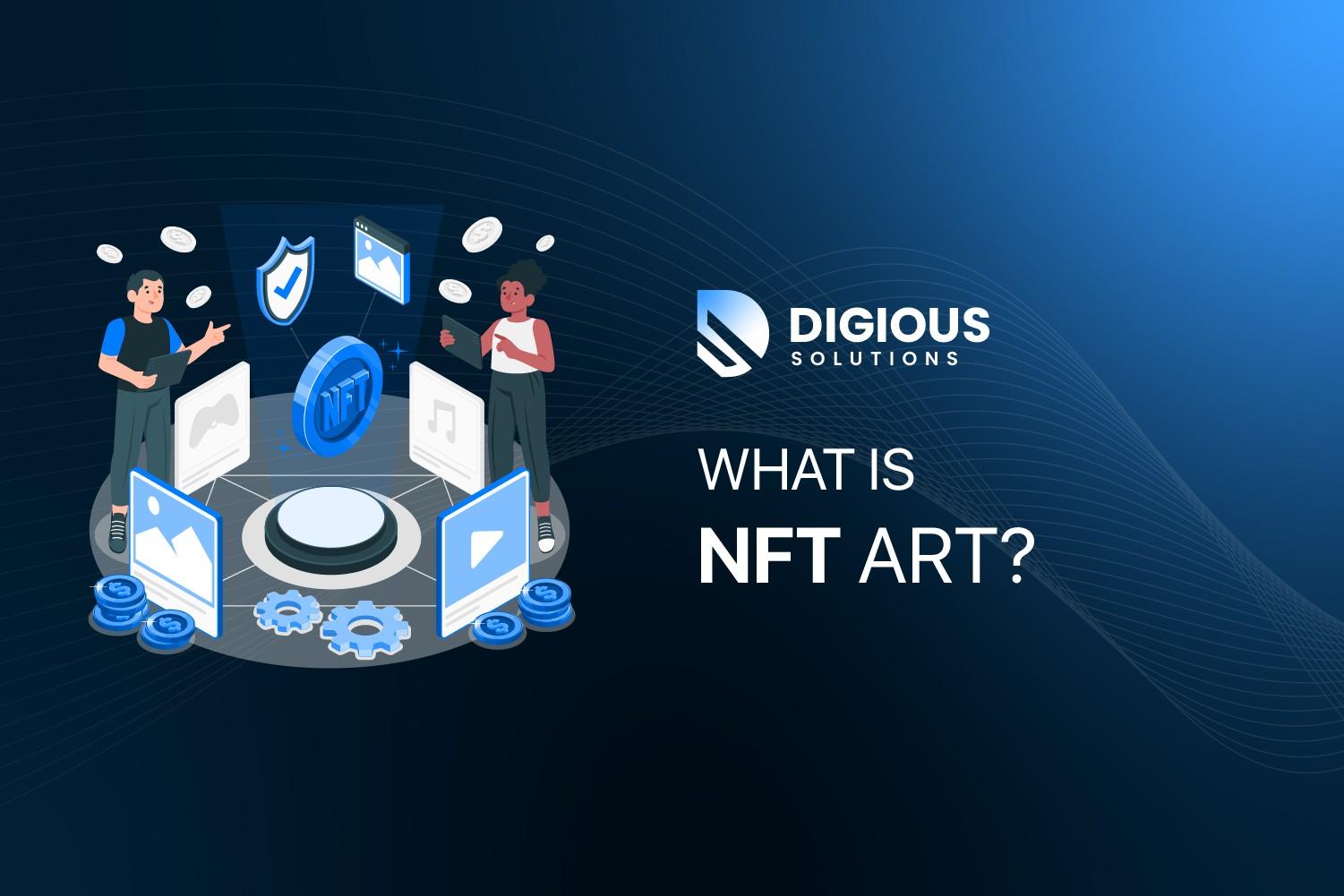
    What is NFT Art?

    NFT Art is digital artwork bought and sold using a special digital token called an NFT, which stands for “Non-Fungible Token.” Think of an NFT as a unique digital certificate that proves you own a digital item, like an artwork.

    Unlike regular digital files that can be copied many times, an NFT is one-of-a-kind, or limited in number, making it more valuable. It’s like having a signed copy of a painting in the digital world.

    So, when you buy NFT Art, you get a special token that says you own a unique piece of digital art.

    Democratization of Art

    A significant aspect of NFT art is its ability to democratize the art world. Artists can now connect directly with collectors, bypassing traditional gatekeepers like galleries.

    Notably, NFTs enable artists to receive royalties automatically through smart contracts, a game-changer compared to conventional art sales.

    Environmental Impact

    The environmental footprint of NFTs, particularly those on the energy-intensive Ethereum blockchain, is a topic that often takes a backseat.

    The proof-of-work system used by Ethereum has raised concerns about the carbon footprint of NFTs. However, the anticipated shift to a more eco-friendly proof-of-stake system offers a glimpse of hope.

    Community and Engagement

    NFT art isn’t solely about the artwork but also about fostering a sense of community.

    Many NFT projects involve interactive elements, encouraging holders to participate in decision-making or offering exclusive access to events. This facet of NFT art often escapes mainstream discussion.

    Preserving Digital Heritage

    An often overlooked yet crucial aspect of NFTs is their role in preserving digital art.

    As digital creation becomes increasingly prominent, NFTs offer a way to ensure that these artworks have a verifiable history, potentially safeguarding digital heritage for future generations.

    In Summary

    NFT art is revolutionizing how we perceive digital creativity and ownership. From challenging traditional art markets, raising environmental awareness, fostering community involvement, and preserving digital heritage, NFTs are more than just a passing trend.

    They represent a new chapter in the evolving narrative of art and technology.

    Explore More Experts Guide

    Explore expert insights, tips, and strategies in IT, web development, and digital marketing to grow, engage, and succeed online.